KleanerFree Windows cleaner
Free up disk space on your PC, fast and without breaking anything.
Download Kleaner ↓ Portable version (no install)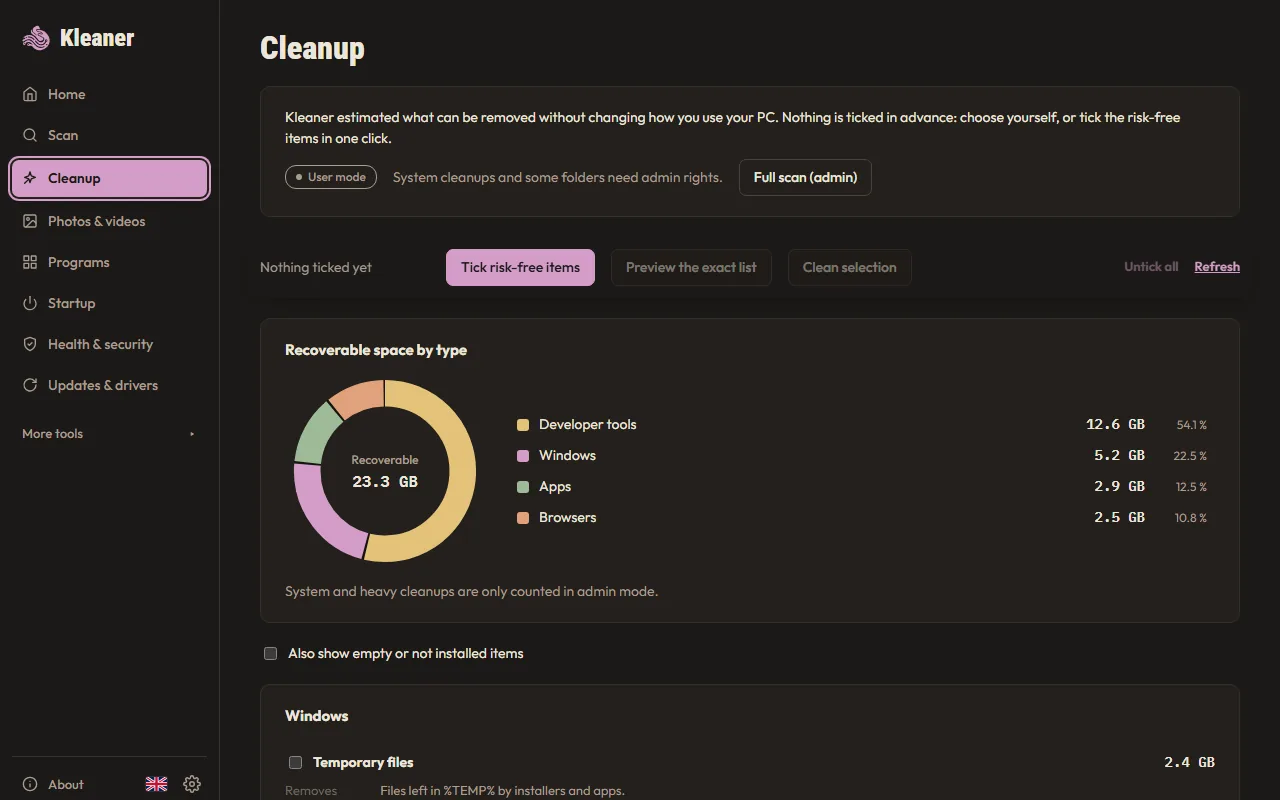
Fast and effective
Scans your drive in seconds and finds what really takes up space: caches, temporary files, old downloads, duplicates.
It explains before it deletes
Every large file gets a clear verdict: safe to delete, uninstall it properly, or leave it alone.
Nothing goes behind your back
Nothing is ticked in advance. Your own files only go to the Recycle Bin, and can come back.
Private and free
No account, no ads, nothing sent from your PC. Free, for good.
What Kleaner cleans
- Temporary files of Windows and your apps
- Browser caches (Chrome, Edge, Firefox…), without logging you out of your sites
- Windows Update cache and old Windows installation files
- Recycle Bin, memory dumps and update leftovers
- Leftovers of uninstalled programs
- Duplicate photos, videos and documents
- Old code project folders (node_modules, .venv…)
- Over 1,100 programs covered by the community catalog
Install Kleaner in 3 steps
- Download the installer, then open it from your Downloads folder.
- If Windows says “Windows protected your PC”, click “More info”, then “Run anyway”: Kleaner is free and not signed yet.
- Follow the installer. Kleaner then opens, and stays in the Start menu.
Frequently asked questions
How do I free up disk space on Windows 11?
Open Kleaner and click “Clean risk-free”: it ticks the useless caches and temporary files, shows you the list, then deletes them. Then look at your largest files and the leftovers of old programs, each with its explanation.
Is it really free?
Yes. No paid version, no ads, no account. The source code is public.
Is Kleaner a CCleaner alternative?
Yes, a free one with no ads. The difference: Kleaner explains every file before deleting it, never “cleans” the registry and sends nothing over the Internet.
Is it safe?
Nothing is ticked in advance. Permanent deletion is limited to caches that rebuild themselves; your personal files only go to the Recycle Bin and can be restored.
Why does Windows show a warning?
Kleaner is not signed with a paid certificate yet, so Windows does not recognise it. Click “More info”, then “Run anyway”.
Installer or portable version?
The installer adds Kleaner to the Start menu and to Windows apps. The portable version is a single file that runs without installing anything.
How do I uninstall it?
Windows Settings → Apps → Kleaner → Uninstall. Or, in Kleaner: Settings → Remove Kleaner.
A bug? An idea?
Kleaner is uninstalled. Thanks for trying it! If you have a second: what was missing or what went wrong? (optional)
Tell me here, no account needed. I read every message.
Have a GitHub account? You can also report a bug ↗ or suggest an idea ↗ there.